Thursday, September 04, 2014

Dexster Audio Editor 4.3 - Released!

The latest Dexster release is now available for download at http://www.dexster.net . New in this release is the support of high DPI screen 125% (120 DPI), and 150% (144 DPI). This new support is important as high DPI displays are getting more and more common.

This release also adds a new label option for marker. With a label, you can add a short note or description for each marker. Dexster 4.3 also contains a couple of bug fixes such as zooming issue with mouse wheel, VST interface not displaying properly, missing markers and other minor bugs.

Please visit http://www.dexster.net/upgrade.html to learn more about recent updates.

125% ( 120 DPI ) and 150% ( 144 DPI )

New features and updates in Dexster version 4.3:
  1. New: Interface is now 125% (120 DPI), and 150% (144 DPI) compatible new
  2. New: Option to add label to a marker new
  3. Fixed: Zooming on waveform with mouse wheel
  4. Fixed: Markers not correctly listed
  5. Fixed: VST interface does not display properly
  6.  Improved: Several other improvements and fixes
  7.  Updated: User help manual


Free Download:
http://netdna.dexster.net/audioeditor.exe

Website:
http://www.dexster.net

Version History:
http://www.dexster.net/upgrade.html


Wednesday, February 12, 2014

Dexster Audio Editor 4.2 - Released!

We're pleased to announce the immediate availability of the Dexster Audio Editor 4.2 which is available for download at http://www.dexster.net . Dexster 4.2 adds the incredible new Text to Speech feature. This new functionality will allow you to convert text into speech / audio and is accessible by clicking on the Tools menu, Text to Speech.

With Dexster 4.2, you can now increase / decrease sound volume based on dB scaling or percentage. You can also set the initial and final amplification for the fading effects. A new set of presets made for a specific purpose have been added for the Amplify and Fading features.

Version 4.2 also incorporates fixes for reported bugs, and minor design improvements. Please visit http://www.dexster.net/upgrade.html to learn more about recent updates.


New Text to Speech feature in Dexster Audio Editor 4.2


New features and updates in Dexster version 4.2:
  1. New Text to Speech feature. new
  2. Improved: Amplify feature improvement. You may now increase / decrease sound volume in dB scaling
  3. Improved: Fade in / out feature improvement with the options to set initial and final amplification.
  4. Improved: New Waveform settings (frequency, channel) will be saved and remembered.
  5. Improved: Preset editor for Amplify, Fade in, and Fade out
  6. Improved: Several other improvements and fixes
  7. Updated: User help manual

Free Download:
http://netdna.dexster.net/audioeditor.exe

Website:
http://www.dexster.net

Version History:
http://www.dexster.net/upgrade.html


Tuesday, December 24, 2013

Merry Christmas

May your Christmas be full of joy and laughter

Merry Christmas


Monday, November 04, 2013

Recordzilla Screen Recorder 1.5 - new released

We are proud to announce a brand new version of Recordzilla Screen Recorder 1.5 is now available for immediate download at http://www.softdivshareware.com/recordzilla-screen-recorder.html .

Recordzilla Screen Recorder 1.5 introduces two new features; AutoPan (the recording area will follow the mouse pointer to wherever it goes) and Mouse Pointer Highlight (this will highlight the mouse pointer with a colored circle and keep your audience’s focus to a particular part of the screen recording). Other improvement in version 1.5 includes the replacement of eye-friendly color for the region selector.

The new Recordzilla 1.5 incorporates the following fixes; watermark text/image display issue and invalid height value upon start up.

Please visit http://www.softdivshareware.com/recordzillaupdates.html to learn more about recent updates.

autopan and mouse highlights
Autopan and mouse highlight features in Recordzilla 1.5


New features and updates in version 1.5:
(1) New: Autopan Feature new
(2) New: Mouse Pointer Highlight feature new
(3) Fixed: Invalid height value
(4) Fixed: Watermark Text / Image not showing on the recorded video
(5) Improved: Minor design updates
(6) Updated: Help manual


Free Download:
http://netdna.recordzilla.com/recordzilla.exe

Website:
http://www.softdivshareware.com/recordzilla-screen-recorder.html

Version History:
http://www.softdivshareware.com/recordzillaupdates.html


Wednesday, July 17, 2013

Dexster Audio Editor 4.1 Released

We are pleased to announce that a brand new version of Dexster Audio Editor 4.1 is now available for immediate download at http://www.dexster.net . New in this release is the new Repeat Loop feature. Repeat Loop is useful to create a seamless loop of audio ( same audio to repeat over and over ). 

With the new Dexster Audio Editor 4.1, you can create / manage your own preset for Tempo, Amplify, Normalize, and Pitch Shift. A new set of presets for a specific purpose eg. Female Voice, Male Voice, Chipmunk Voice, Half Volume, Double Volume, Half Speed, Double Speed, Normalize to 100% have been added. 

Other improvements in Dexster Audio Editor version 4.1 include incorporating fixes for reported bugs, and minor interface design updates. Please visit http://www.dexster.net/upgrade.html to learn more about recent updates. 

New Features in Dexster Audio Editor 4.1

New features and updates in Dexster version 4.1:
  •  New Repeat Loop feature. Use repeat loop feature to create a seamless loop of audio. new 
  • Improved: Pitch Shift feature improvement with ready-made presets (Female Voice, Male Voice, Chipmunk Voice)
  • Improved: Amplify feature improvement with ready-made presets (Quarter Volume, Half Volume, Double Volume, Triple Volume)
  • Improved: Stretch feature has been renamed as Tempo
  • Improved: Tempo feature improvement with ready-made presets (Half Speed, Double Speed)
  • Improved: Normalize feature improvement with ready-made presets (Normalize to 100%, Normalize to 80%)
  • Improved: Preset editor for Pitch Shift, Amplify, Tempo and Normalize
  • Improved: Several other improvements and fixes
  • Updated: User help manual

Free Download:
http://netdna.dexster.net/audioeditor.exe

Website:
http://www.dexster.net

Version History:
http://www.dexster.net/upgrade.html


Wednesday, May 29, 2013

Videozilla 3.6 Released


We are pleased to announce that Videozilla Video Converter 3.6 is now available for download at http://www.videozilla.net

We've added new video profiles for mobiles and tablets in this release. This update also includes several improvements and bug fixes.

Please visit http://www.videozilla.net/upgrade.html to learn more about recent updates.  

Version Summary:
1) Video profile for mobiles and tablets new
2) Improved: Interface design
3) Fixed: Minor bugs found in previous version
4) Updated: Command-line has been updated to support the new profiles.
5) Updated: Help and Command-line manual


Website:
http://www.videozilla.net

Download:
http://netdna.videozilla.net/videozillasetup.exe

Version History:
http://www.videozilla.net/upgrade.html


Wednesday, April 17, 2013

Recordzilla 1.4 - New Screen Draw feature

Screen Draw
Screen Draw feature in Recordzilla 1.4
We are proud to announce that a new version of Recordzilla Screen Recorder was released today. Version 1.4 of Recordzilla Screen Recorder can be downloaded from http://www.softdivshareware.com/recordzilla-screen-recorder.html . We've added new "screen draw" feature in this release. You may now add drawing effects with different colors over the screen as you record

Recordzilla 1.4 also introduces a new option to hide Desktop icons while recording. This will temporarily create a blank desktop and help for better screen recording. Other improvements in this version include interface GUI update with a new set of icons which are bigger, cleaner and smoother. 

Version 1.4 also incorporates fixes for hotkeys bugs and other minor bugs found in previous version.

Please visit http://www.softdivshareware.com/recordzillaupdates.html to learn more about recent updates.


New features and updates in version 1.4:
(1) New: Draw to Screen Feature new
(2) New: Option to hide Desktop icons during screen recording new
(3) Fixed: Hotkey bugs
(4) Fixed: Minor bugs found in previous version
(5) Improved: Interface GUI with bigger icons
(6) Updated: Help manual


Monday, February 25, 2013

Dexster Audio Editor 4.0 - Released!

Today, we're pleased to announce that the next version of Dexster Audio Editor, 4.0 is available for immediate download at http://www.dexster.net . We've added new features that will make it simpler to split audio file (Export Multiple). You can access to this new feature by clicking on the File menu, Export Multiple. Export Multiple can be used to split long audio tracks based on the given duration of time, pause / silence detection in between, markers, or split averagely to several files. In addition, you can also customize the output file names.

Other improvements in Dexster Audio Editor version 4.0 include the support of audio format M4A, FLAC, MP4, and AAC on Audio CD Burning and Audio Merging features. Version 4.0 also incorporates fixes for reported bugs, and minor interface design updates.

Please visit http://www.dexster.net/upgrade.html to learn more about recent updates.

New Export Multiple Feature in Dexster Audio Editor 4.0

New features and updates in Dexster version 4.0:
  1. New: Export multiple feature. Export and split audio file according to duration time, averagely, markers and silence detection. new
  2. Improved: Audio CD burning now accept audio format M4A, AAC, FLAC, MP4
  3. Improved: Audio Merging now support audio format M4A, AAC, FLAC, MP4, CDA
  4. Improved: Save Selection As has been renamed to Export Selection.
  5. Fixed: Problem to edit short audio files if default program is set to Dexster.
  6. Updated: User manual
Website: http://www.dexster.net

Download: http://netdna.dexster.net/audioeditor.exe


Wednesday, December 19, 2012

Dexster Audio Editor 3.9 New Released


We are proud to announce that a new version of Dexster Audio Editor was released today.  

Version 3.9 of Dexster Audio Editor can be downloaded from http://www.dexster.net . This update includes the support of 24-bit / 32-bit WAV audio file and improves the support for large audio file.

In addition, we've fixed audio distortion issue when low quality audio is imported for audio CD burning. Version 3.9 also incorporates fixes for reported bugs, performance improvement on audio CD burning, audio merging, and batch audio conversion features.

Please visit http://www.dexster.net/upgrade.html to learn more about recent updates.

New features and updates in Dexster version 3.9:
  • New: 24-bit / 32-bit WAV audio is now supported new 
  • Improved: Better support for large audio file
  • Fixed: Distorted audio issue when low quality audio is imported for audio CD burning
  • Fixed: Incorrect Start / End extraction label value
  • Fixed: Minor bugs found in previous version
  • Updated: User manual

Website: http://www.dexster.net

Download: http://netdna.dexster.net/audioeditor.exe

Thursday, October 11, 2012

How to split lengthy screen recording

With the new Recordzilla Screen Recorder 1.3, you can now split a screen recording into multiple files according to the video duration defined. This feature is very useful particularly you would like to perform a lengthy screen recording and break the recording into pieces.

split lengthy screen recording
Multiple File Recording feature in Recordzilla Screen Recorder 1.3


To enable the multiple file recording feature, click on the 4.Output button and check the check box "Enable Multiple File Recording". You can then specify the length for each split in minute. When you start the screen recording, Recordzilla will automatically split the recording according to the time entered.

Please visit http://www.softdivshareware.com/recordzillaupdates.html to learn more about recent updates.

 New features and changes in version 1.3:
(1) New option for multiple file recording.
(2) New option to configure AVI Video Compressor
(3) Fixed: Screen recording freezing issue when a particular AVI video Compressor is selected
(4) Fixed: Minor bugs found in previous version
(5) Improved: Minor GUI update
(6) Updated: Help manual 


Website: http://www.softdivshareware.com/recordzilla-screen-recorder.html

Download: http://netdna.recordzilla.com/recordzilla.exe

Version History: http://www.softdivshareware.com/recordzillaupdates.html


Tuesday, October 02, 2012

Cut Audio Files into Pieces

Watch our video tutorial on how to use My Audio Cutter software to cut audio files. Please visit http://www.softdivshareware.com/my-audio-cutter.html to learn more.


Saturday, September 29, 2012

My Audio Cutter

We are proud to announce the release of My Audio Cutter. My Audio Cutter is software that lets users cut audio files into pieces. The software's interface is friendly and intuitive. It allows you to define in visual or manual mode the start and end time or length to perform the cut. You can play preview the selected audio segment for better cutting accuracy. It can also add fade-in / fade-out effects to the output audio file. These effects will make the output audio file sound smooth.

My Audio Cutter also supports audio tagging feature. It will preserve the audio tag information on the output audio file. My Audio Cutter can also be used to extract audio from video files (MP4, WMV, ASF). My Audio Cutter supports audio formats MP3, MP2, WAV, WMA, OGG, FLAC, AIFF, M4A, AAC, AC3, and WV.

My Audio Cutter is compatible to run on Windows 2000, 2003, 2008, XP, Vista, 7 (32/64), and 8 (32/64)

Key benefits of My Audio Cutter
1. Cut audio precisely
2. Cut audio visually
3. Cut audio according to start & end time or length
4. Extract and cut audio from a video
5. Automatically preserve the audio tag information
6. Support fade in / out effect
7. Play preview the selected audio segment for better cutting accuracy
   
Learn more about My Audio Cutter: http://www.softdivshareware.com/my-audio-cutter.html


Tuesday, August 14, 2012

Snosh version 2.2 Released

It has been a while since we last updated Snosh. We are proud to announce that a brand new version of Snosh 2.2 is now available for download at http://www.snosh.net

What can you do with Snosh? Snosh supports creation of Flash 8 (SWF/FLV), Flash MX (SWF/FLV), Flash Vector (SWF), HTML, MP3, WAV and Windows Projector Executable from video, audio or images.

It allows you to customize the start/end Flash actions and creates your own Youtube style video streaming with the player control options.

The brand new version of Snosh 2.2 comes with the support of many new video formats such as Flash F4V, WebM, MKV, HD AVCHD (TS, MTS, M2T, M2TS), VideoCD, DVD VOB, OGV and OGM. This version also improved the support over FLV and M4V video format. In addition, the video / image preview feature has been improved in this version of Snosh.

Snosh 2.2 is now compatible with Windows 8 (32 / 64-bit). Known bugs that we found in previous version and Windows 8 have been fixed in this release.

Please visit http://www.snosh.net/upgrade.html to learn more about recent updates.

Version Summary:
1) Windows 8 (32 / 64-bit) is now supported - new
2) Flash video (F4V) format is now supported as input - new
3) DVD (VOB) video format is now supported as input - new
4) OGG video (OGV, OGM) format is now supported as input - new
5) WebM video format is now supported as input - new
6) HD AVCHD (TS, MTS, M2T, M2TS) video format is now supported as input - new
7) VideoCD (DAT) video format is now supported as input - new
8) MKV video format is now supported as input - new
9) Improvement over FLV, M4V video support - improved
10) Minor GUI updates
11) Stability - improved
12) Video / Image preview in Snosh - improved
13) Updated: Help manual


Website:

Download:

Version History:
http://www.snosh.net/upgrade.html


Friday, July 13, 2012

Dexster Audio Editor 3.8 - New Released

We are proud to announce the released of Dexster Audio Editor 3.8. Dexster 3.8 features a complete make over of the audio extraction from video feature.

You may now use Dexster Audio Editor to extract popular video formats such as MPEG, MOV, MP4, VOB, MTS, MKV, AVI or WMV and save it as audio MP3, WAV, WMA, OGG, or AAC.  The saved audio file can then be used for audio editing purpose.

Dexster Audio Editor 3.8 is now compatible to run on Windows 8 (32/64-bit). Bugs that we found in previous version and Windows 8 have been fixed in this release.

Please visit http://www.dexster.net/upgrade.html to learn more about recent updates. 


New features and updates in version 3.8:
1) A complete makeover of the audio extraction from video feature. The following video formats are now supported for audio extraction: new
  • AVI
  • MPEG
  • WMV, ASF
  • MOV, QT
  • MP4, M4V
  • 3GP, 3G2
  • FLV, F4V
  • DAT
  • MKV
  • VOB
  • OGM, OGV
  • AVCHD (M2TS, M2T, MTS, TS)
  • WEBM
2) Improved: Dexster now runs on Windows 8 (32/64-bit) 
3) Fixed: Minor bugs found in previous version
4) Updated: User manual


Website: 
 http://www.dexster.net

Download:
http://netdna.dexster.net/audioeditor.exe

Version History:
http://www.dexster.net/upgrade.html

Thursday, June 28, 2012

Discover The New Videozilla Video Converter 3.5

Videozilla Video Converter 3.5

We're proud to announce the latest version of Videozilla Video Converter 3.5 is now available for download at http://www.videozilla.net . The Videozilla 3.5 adds support for many new video formats. You can now use Videozilla to convert from video format F4V, DVD (VOB), Matroska (MKV), WebM, OGG Media (OGV, OGM), and HD AVCHD (TS, MTS, M2T, M2TS).

Unlike previous versions, you no longer need to install QuickTime Player in order to convert video MOV, QT, MP4, 3GP, and M4V. Videozilla 3.5 is now compatible with Windows 8 (32/64-bit). Known bugs that we found in previous version and Windows 8 have been fixed in this release.

Please visit http://www.videozilla.net/upgrade.html to learn more about recent updates.

New features and changes in version 3.5:
  • Support Flash (F4V) video format as input new
  • Support DVD (VOB) video format as input new
  • Support Matroska (MKV) video format as input new
  • Support WebM (WEBM) video format as input new
  • Support OGG Media (OGV, OGM) video format as input new
  • Support HD AVCHD (TS, MTS, M2T, M2TS) video format as input new
  • Improved: QuickTime Player no longer needed for MP4, M4V, 3GP, MOV, QT video conversion
  • Improved: MPEG-2, FLV, MOV, MP4, 3GP, MOV, QT video support
  • Improved: Videozilla now runs on Windows 8 (32/64-bit)
  • Fixed: Other minor bugs found in previous version
  • Updated: Command-line has been updated to reflect the latest changes
  • Updated: Help manual

Website: 

Free Download:

Version History:
http://www.videozilla.net/upgrade.html

Wednesday, May 23, 2012

Recordzilla Screen Recorder 1.2 - New Released!

We are pleased to announce the latest version of Recordzilla Screen Recorder 1.2 is now available for download at http://www.softdivshareware.com . We've added new features that allow you to add watermark text or image on the screen recording. Watermarks can be used for video protection purpose, to create brand awareness, or adding comments to the video.

Recordzilla 1.2 is now compatible with Windows 8 (consumer preview edition). Bugs that we found in previous version and Windows 8 have been fixed in this release.

Please visit http://www.softdivshareware.com/recordzillaupdates.html to learn more about recent updates.

New features and changes in version 1.2:
(1) New option to add overlay image
(2) New option to add overlay text
(3) Fixed: HTML page not automatically created
(4) Fixed: Region selector window can't be expanded
(5) Improved: Recordzilla now runs on Windows 8 (32-bit / 64-bit)
(6) Improved: Minor GUI update
(7) Improved: All other minor bugs found in previous version
(8) Updated: Help manual


Download: http://netdna.recordzilla.com/recordzilla.exe

Version History: http://www.softdivshareware.com/recordzillaupdates.html


Sunday, May 06, 2012

Videozilla - Tom's Guide Editor Pick of the Week

We are proud to announce that Videozilla has been selected by Tom's Guide as editor's pick of the week.

You may read the original write up article at http://www.tomsguide.fr/actualite/logiciel-gratuit-Rdio-videozilla,3491.html (french) .

This article is also appear in the Yahoo Tech News http://fr.news.yahoo.com/logiciels-quil-ne-fallait-manquer-semaine-videozilla-rdio-060000314.html at the same time.

Wednesday, April 25, 2012

Windows 8 Support in Softdiv Products

As you probably know, Microsoft will be releasing the new Windows 8 by this year. Since the consumer preview version of Windows 8 is already available, we managed to download and performed a test run of our products on Windows 8 (32-bit and 64-bit).

We are glad to announce that our products (Dexster, Videozilla, Photopus Pro, Snosh, Audiozilla, Recordzilla) are compatible with Windows 8 (32-bit and 64-bit). No major issues were found during the test. Of course, it is still early to do the real testing of our products on Windows 8. We'll be conducting the test again once the final release of Windows 8 hits the shelves.

Audiozilla Audio Converter running on Windows 8
Dexster Audio Editor running on Windows 8
Photopus Pro running on Windows 8
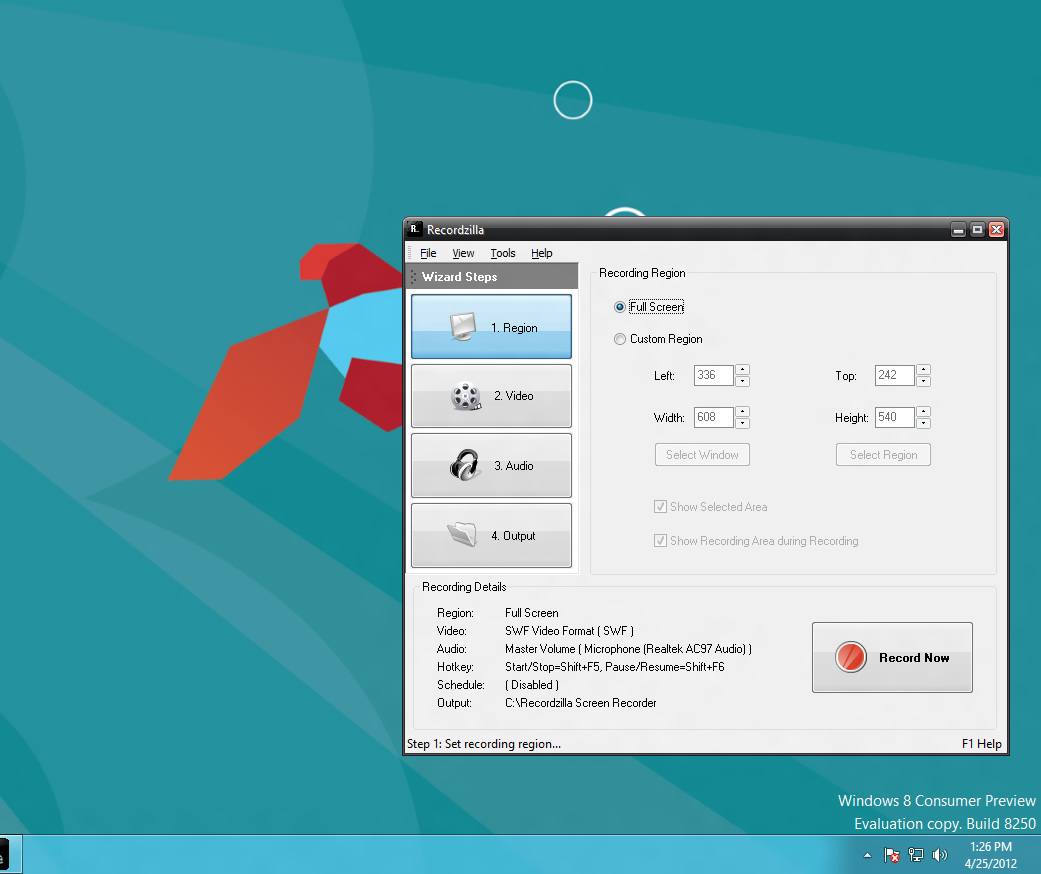
Recordzilla Screen Recorder running on Windows 8
Snosh running on Windows 8
Videozilla Video Converter running on Windows 8 


Related Posts Plugin for WordPress, Blogger...