Showing posts with label split audio files. Show all posts

Monday, February 25, 2013

Dexster Audio Editor 4.0 - Released!

Today, we're pleased to announce that the next version of Dexster Audio Editor, 4.0 is available for immediate download at http://www.dexster.net . We've added new features that will make it simpler to split audio file (Export Multiple). You can access to this new feature by clicking on the File menu, Export Multiple. Export Multiple can be used to split long audio tracks based on the given duration of time, pause / silence detection in between, markers, or split averagely to several files. In addition, you can also customize the output file names.

Other improvements in Dexster Audio Editor version 4.0 include the support of audio format M4A, FLAC, MP4, and AAC on Audio CD Burning and Audio Merging features. Version 4.0 also incorporates fixes for reported bugs, and minor interface design updates.

Please visit http://www.dexster.net/upgrade.html to learn more about recent updates.

New Export Multiple Feature in Dexster Audio Editor 4.0

New features and updates in Dexster version 4.0:
  1. New: Export multiple feature. Export and split audio file according to duration time, averagely, markers and silence detection. new
  2. Improved: Audio CD burning now accept audio format M4A, AAC, FLAC, MP4
  3. Improved: Audio Merging now support audio format M4A, AAC, FLAC, MP4, CDA
  4. Improved: Save Selection As has been renamed to Export Selection.
  5. Fixed: Problem to edit short audio files if default program is set to Dexster.
  6. Updated: User manual
Website: http://www.dexster.net

Download: http://netdna.dexster.net/audioeditor.exe


Tuesday, October 02, 2012

Cut Audio Files into Pieces

Watch our video tutorial on how to use My Audio Cutter software to cut audio files. Please visit http://www.softdivshareware.com/my-audio-cutter.html to learn more.


Saturday, September 29, 2012

My Audio Cutter

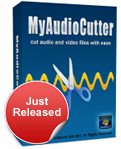
We are proud to announce the release of My Audio Cutter. My Audio Cutter is software that lets users cut audio files into pieces. The software's interface is friendly and intuitive. It allows you to define in visual or manual mode the start and end time or length to perform the cut. You can play preview the selected audio segment for better cutting accuracy. It can also add fade-in / fade-out effects to the output audio file. These effects will make the output audio file sound smooth.

My Audio Cutter also supports audio tagging feature. It will preserve the audio tag information on the output audio file. My Audio Cutter can also be used to extract audio from video files (MP4, WMV, ASF). My Audio Cutter supports audio formats MP3, MP2, WAV, WMA, OGG, FLAC, AIFF, M4A, AAC, AC3, and WV.

My Audio Cutter is compatible to run on Windows 2000, 2003, 2008, XP, Vista, 7 (32/64), and 8 (32/64)

Key benefits of My Audio Cutter
1. Cut audio precisely
2. Cut audio visually
3. Cut audio according to start & end time or length
4. Extract and cut audio from a video
5. Automatically preserve the audio tag information
6. Support fade in / out effect
7. Play preview the selected audio segment for better cutting accuracy
   
Learn more about My Audio Cutter: http://www.softdivshareware.com/my-audio-cutter.html


Related Posts Plugin for WordPress, Blogger...