Showing posts with label watermark images. Show all posts

Wednesday, May 23, 2012

Recordzilla Screen Recorder 1.2 - New Released!

We are pleased to announce the latest version of Recordzilla Screen Recorder 1.2 is now available for download at http://www.softdivshareware.com . We've added new features that allow you to add watermark text or image on the screen recording. Watermarks can be used for video protection purpose, to create brand awareness, or adding comments to the video.

Recordzilla 1.2 is now compatible with Windows 8 (consumer preview edition). Bugs that we found in previous version and Windows 8 have been fixed in this release.

Please visit http://www.softdivshareware.com/recordzillaupdates.html to learn more about recent updates.

New features and changes in version 1.2:
(1) New option to add overlay image
(2) New option to add overlay text
(3) Fixed: HTML page not automatically created
(4) Fixed: Region selector window can't be expanded
(5) Improved: Recordzilla now runs on Windows 8 (32-bit / 64-bit)
(6) Improved: Minor GUI update
(7) Improved: All other minor bugs found in previous version
(8) Updated: Help manual


Download: http://netdna.recordzilla.com/recordzilla.exe

Version History: http://www.softdivshareware.com/recordzillaupdates.html


Monday, February 21, 2011

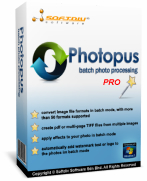
Introducing Photopus Pro

Photopus Pro is an easy to use batch image processing software to simplify the process to convert, add watermarks (text and image), resize, transform, touch-up, rename, and apply effects to your digital images

Instead of spending hours to edit your digital images individually, Photopus Pro lets you perform batch image processing in a single operation. With Photopus Pro, you can batch resize images automatically with ready preset for most common output sizes; Rotate images; Flip; Rename images; Crop images; Add watermark text or image to your images; Convert image to other image formats (including multi-page PDF, TIFF); Adjust DPI; Apply special effects like black and white, sepia, blur, emboss, red eye correction, twirl, grayscale, add border and more; Touch-up images by adjusting brightness, contrast, sharpen, smooth, color balance and etc.

Photopus Pro comes with clean and well designed interface. It only involved 3 steps to process your images: Add Photos, Add Filters, Output. Through every step of the process you can preview the changes made before saving the images. Settings can be saved and load for next image processing project.

Photopus Pro supports over 90 images formats including BMP, JPG, GIF, TIFF, TGA, PNG, ICO, PDF, PDF/A, PSD, WMF, EMF, JBIG, JBIG2, WBMP, PICT, PCT, JNG, JPEG 2000, PIC, ICB, VDA, VST, PDD, WAP, WBM, EXR, PNM, PBM, PGM, PPM, XPM, 3FR, ARW, BAY, GMQ, CAP, CR2, CRW, CS1, DC2, DCR, DCS, DNG, DFR, ERF, FFF, HDR, IIQ, K25, KC2, KDC, MDC, MEF, MOS, MRW, NEF, NRW, ORF, PEF, PTX, PXN, QTK, RAF, RAW, RDC, RW2, SR2, SRF, STI, CUR, CUT, DDS, DIB, FAX, HDR, IFF, BIE, JBG, JB2, JIF, KOA, LBM, MNG, PCD, PCX, PFM, PGM, RAS, SGI, RLE, XBM, IA, EXIF, JTIF and etc. RAW camera files and multi-page image format is fully supported.

Learn more about Photopus Pro: http://www.softdivshareware.com/photopuspro.html


Related Posts Plugin for WordPress, Blogger...