Showing posts with label audiozilla. Show all posts

Wednesday, April 25, 2012

Windows 8 Support in Softdiv Products

As you probably know, Microsoft will be releasing the new Windows 8 by this year. Since the consumer preview version of Windows 8 is already available, we managed to download and performed a test run of our products on Windows 8 (32-bit and 64-bit).

We are glad to announce that our products (Dexster, Videozilla, Photopus Pro, Snosh, Audiozilla, Recordzilla) are compatible with Windows 8 (32-bit and 64-bit). No major issues were found during the test. Of course, it is still early to do the real testing of our products on Windows 8. We'll be conducting the test again once the final release of Windows 8 hits the shelves.

Audiozilla Audio Converter running on Windows 8
Dexster Audio Editor running on Windows 8
Photopus Pro running on Windows 8
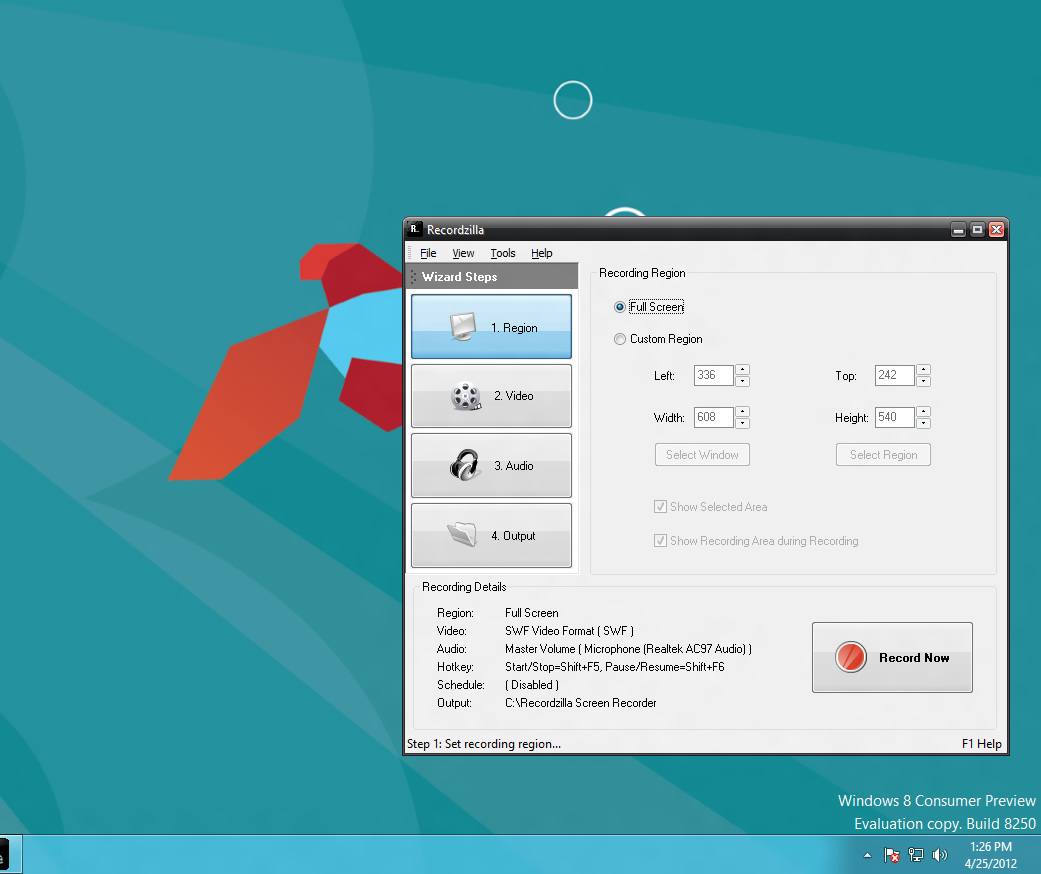
Recordzilla Screen Recorder running on Windows 8
Snosh running on Windows 8
Videozilla Video Converter running on Windows 8 


Friday, January 06, 2012

Audiozilla Audio Converter 1.1 Released

We are pleased to announce that Audiozilla Audio Converter 1.1 is now available. Version 1.1 features the improvement of interface design GUI, and fixes all reported bugs found in the previous version. To learn more about recent update, please visit http://www.softdivshareware.com/audiozillaupdates.html

Updates and changes in version 1.1:
1) Fix: Incorrect converted filename
2) Fix: Incorrect converted audio location
3) Fix: Problem to convert audio files that contain special characters in the audio tag
4) Improve: Interface design GUI
5) Improve: Fixes all reported bugs found in previous version
6) Updated: Help Manual


Download: http://netdna.audiozilla.net/audiozilla-audio-converter.exe

Learn more: http://www.softdivshareware.com/audiozillaconverter.html

Wednesday, August 10, 2011

Audiozilla Audio Converter - New Released !

We are pleased to announce the release of AUDIOzilla Audio Converter.

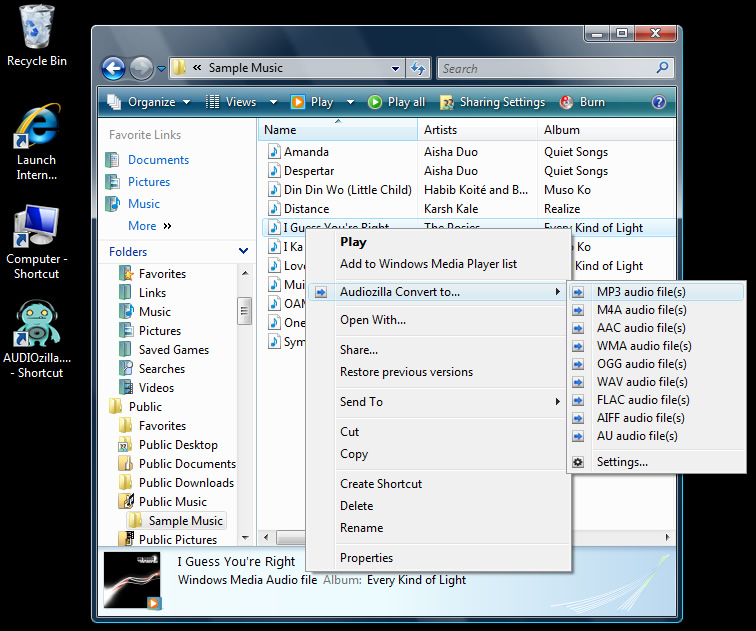
Audiozilla is complete audio converter software that works via a right-click. Just right-click any audio files on Windows Explorer, Audiozilla can immediately convert audio MP3, WAV, AC3, OGG, WMA, FLAC, AAC, M4A, APE, VOX, VOC, AIFF and more to other formats.

Options can be set for start and end points of an audio; output audio format quality like bitrates, channels, sample size; keep / remove audio tag information.

Audiozilla also perform audio extraction from video files MP4, WMV, ASF, M4V. Direct conversion from Audio CD ( CDA ) with the option to save album information is also supported.


  Audiozilla screenshot

Key Features:

1) Audio Converter
Convert audio between almost any formats: MP3, M4A, AAC, OGG, WMA, FLAC, AU, 

WAV, AIFF, MP2, AC3, AU, APE, MPC, MOD, VOC, CAF, RAW, PCM, GSM, VOX, WV

2) Extract Audio from Video
Select and convert audio from video files MP4, M4V, WMV, ASF


3) Extract Audio from Audio CD
Select and convert audio from audio cd tracks. Automatically looks up track info and 

names the converted tracks.

4) iPhone / iPad / iPod / Mobile / PSP Audio Converter
Convert audio files for your iPhone, iPad, iPod, Mobile, PSP


5. Right-click Convert
Easiest way to convert audio file(s). Just right-click and convert.


Learn more about Audiozilla at http://www.softdivshareware.com/audiozillaconverter.html


Related Posts Plugin for WordPress, Blogger...